What the app story doesn't tell you
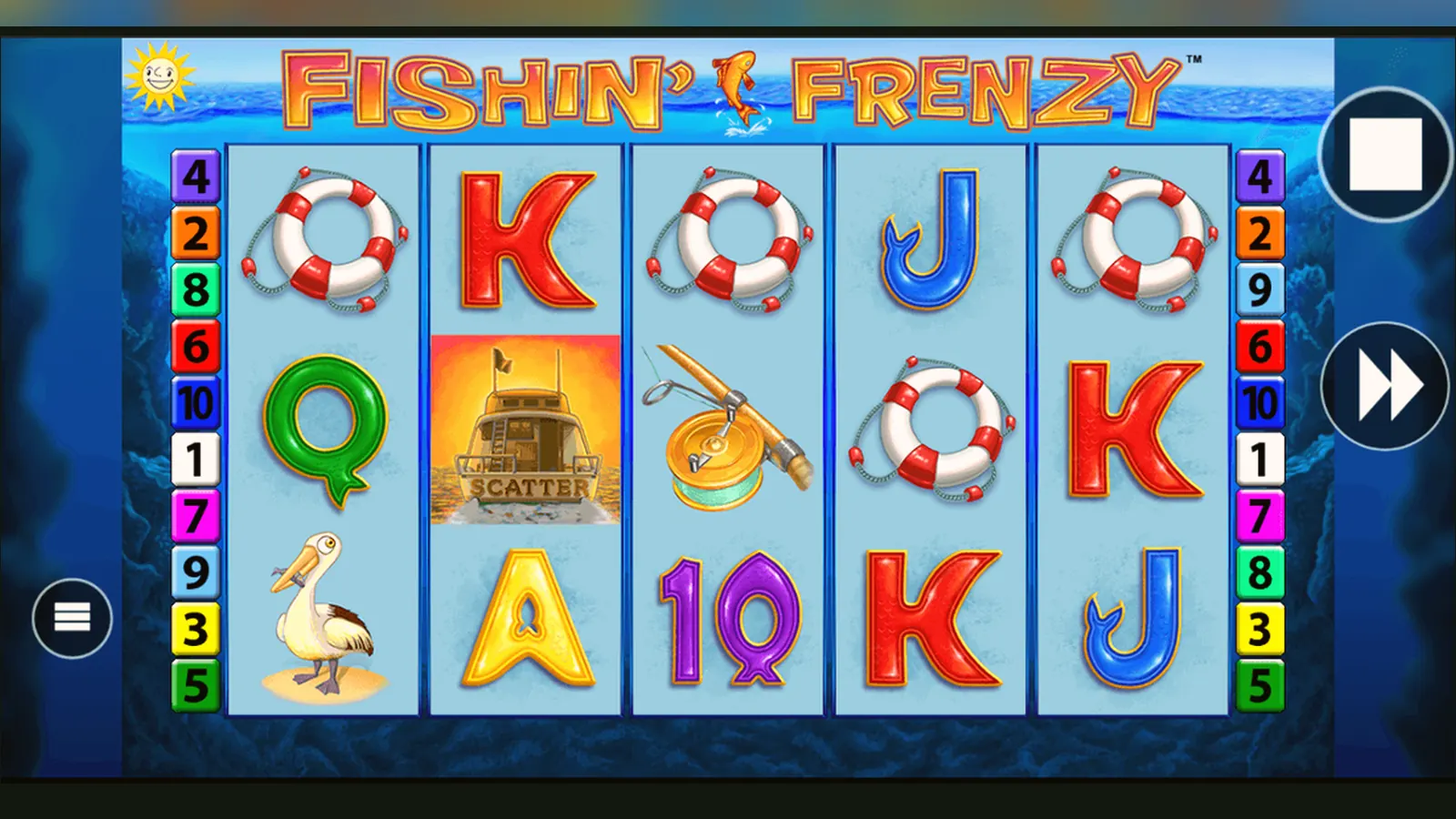
Fishin' Frenzy doesn't have a standalone app in the way Candy Crush does. It's a browser slot that runs inside whichever UKGC-licensed casino you pick, and most of those casinos wrap their catalogues in a native app or let you pin a web-app shortcut to your home screen. The game itself is identical either way — same RTP, same stake caps, same rules — but the route to it changes depending on whether you're happy to trust an operator's app or prefer the sandboxed safety of a mobile browser.
This page walks you through every install path, explains what the first ten minutes look like, and flags the permissions and APK risks you should watch for. Amounts are written in pounds because that's what you'll see when you play from the UK; affordability checks start from £150 net deposits a month, and the £5 stake cap drops to £2 if you're aged 18–24. The operator's UKGC licence number sits in the footer — check it against the UKGC public register before you deposit.
The store-style card you won't find in the Play Store
Fishin' Frenzy isn't a standalone title in Google Play or the App Store; it's a slot bundled inside casino apps. If you search for it by name, you'll see operator apps that host it, or you'll land on clones and reskins that have nothing to do with the licensed original. Here's what a real listing for an operator app looks like, with plausible numbers for context:
The «in-app purchases» line means deposits, not upgrades or power-ups. Every pound you add goes through the operator's payment gateway, and debit cards, PayPal, Apple Pay, and Open Banking are the only routes allowed — credit cards have been banned for UK gambling since 2020. The operator app is a shell: it logs you in, handles KYC, and loads the slot in a WebView or native wrapper. The game logic still runs on Blueprint's servers.
Four routes to your home screen
You can play Fishin' Frenzy on a phone in four ways. Each has a different risk profile and a different friction point. Here's the step-by-step for each, with the trade-offs spelled out.
- Browser (Chrome, Safari): open the operator's mobile site, log in, find Fishin' Frenzy in the slots library, tap it. No install, no permissions, sandboxed by the browser. The slot scales to fit your screen. You'll need to log in every time unless you let the browser save your password. Risk: zero, unless you're on public Wi-Fi without a VPN. Speed: instant.
- Add to home screen (web app): same as above, but after you open the site in Safari or Chrome, tap the share icon (iOS) or the three-dot menu (Android) and choose «Add to Home Screen». You get an icon that looks like an app but opens the site in a stripped-down browser window. No app-store approval, no background processes, no access to your camera or contacts. The operator can push updates to the site without you doing anything. Risk: minimal; you're still in a browser. Speed: one tap slower than a real app.
- Operator app (Play Store or App Store): search for the casino's name, not the game's. Download the app, open it, create an account or log in, pass age verification (often instant via credit-reference check), deposit, find Fishin' Frenzy in the lobby. The app will ask for notification permissions and possibly location (to confirm you're in the UK). Decline notifications if you don't want bonus alerts; location is usually optional but may be required for geofencing. Risk: the app can track more than a browser can, and some operators bundle analytics SDKs. Read the privacy policy. Speed: faster load times after the first launch, because assets are cached locally.
- APK (sideload on Android): download the operator's APK from their site, enable «Install from unknown sources» in your phone's settings, install it. This bypasses Google Play's vetting, which means you're trusting the operator's own distribution. If the APK is signed and comes from a domain that matches the UKGC licence holder, it's legitimate. If it's from a third-party mirror or a Telegram group, it's almost certainly malware. Risk: high if you get the file from anywhere other than the operator's official domain. Even then, you won't get automatic updates, so you'll need to check for new versions manually. Speed: same as the Play Store app once installed.
The first ten minutes, the first hour, the first week
Chronology tells you more about an app than a feature list does. Here's what actually happens when you install and play.
First ten minutes: you've installed the operator app or pinned the web-app shortcut. You open it, and you're asked to register or log in. Registration means email, date of birth, postcode, and sometimes the last four digits of a debit card for instant age verification. If that fails, you'll need to upload a photo of your passport or driving licence. The app might ask for location permissions now; if you're using a VPN, turn it off or the site will block you. Once you're in, you see the lobby. Fishin' Frenzy is either in «Popular» or under «Blueprint Gaming» in the provider filter. Tap it, and the game loads in a few seconds if you're on 4G or Wi-Fi. The first thing you notice is the portrait layout on a phone: the reels are taller, the bet controls are at the bottom, and the paytable is in a pop-up menu. The spin button is large and centred. You can switch to landscape if you prefer the desktop ratio.
First hour: you've set a stake somewhere between £0.10 and £5.00 — or £2.00 if you're 18–24 and the operator has checked your age properly. You've triggered the free-spins round once, maybe twice. You've noticed that the game doesn't pause if you lock your screen or switch apps; it just sits there waiting for the next spin, which is safer than auto-continuing. You've realised that the balance updates in real time and that the transaction history is in the account menu, not in the game itself. If you deposited £20.00 and you're down to £8.00, you're seeing what high volatility means: it's not broken, it's variance. You haven't won the 5,000× headline because that's a 1-in-several-million event, and the RTP of 96.00 to 96.12 per cent plays out over hundreds of thousands of spins, not one session.
First week: you've set a deposit limit — either because the app prompted you during sign-up or because you went into «Responsible Gambling» in the settings. GAMSTOP is mentioned there too: one registration blocks every UKGC-licensed site for six months to five years. You've tried the demo mode to test a staking strategy, and you've learned that the demo uses the same RNG as real-money play, so the hit frequency is identical. You've requested a withdrawal of £50.00, uploaded your documents, and waited two days for approval. The money arrived via Faster Payments. You've also noticed that if you deposit more than £150.00 in a month, the operator triggers an affordability check: they pull data from credit-reference agencies at the first stage, and they may ask for bank statements or payslips if the deposits keep climbing. This isn't the operator being difficult; it's a UKGC requirement, raised in the 2024 reforms and tightened in April 2026 when Remote Gaming Duty hit 40 per cent.
What your phone needs to run it smoothly
Fishin' Frenzy is built in HTML5, so it runs in any modern browser. The real bottleneck is your phone's GPU and your connection speed. Here's the practical minimum:
- Android 8.0 or iOS 13 — older versions may work, but the operator app often requires newer OS builds for security patches.
- 2 GB of RAM — 1 GB can stutter during the free-spins animation when all the fisherman wilds are on screen.
- Chrome 100+, Safari 14+, or the operator's native app — the game detects the viewport size and rescales the reels; if you're on a very old browser, the layout might break.
- Stable 4G or Wi-Fi — the slot streams data in real-time; if your connection drops mid-spin, the result is already decided server-side, but you won't see the outcome until you reconnect.
- At least 100 MB of free storage if you're using an operator app — the app caches images and sound files, and it will re-download them if you clear the cache.
Landscape mode works on most phones but feels cramped on screens smaller than 6 inches. Portrait mode is the default because it gives you a better view of the paytable pop-up and the bet controls without zooming.
What the app actually does beyond loading the game
The operator app is a multi-purpose wrapper. Fishin' Frenzy is just one slot in a library of hundreds, and the app handles everything that sits around the game: account management, KYC, deposits, withdrawals, bonuses, and compliance checks. Here's what it does in the background:
- Session tracking: the app logs when you open it, how long you play, and which games you load. This data feeds into the operator's responsible-gambling systems and into their reporting to the UKGC. If you're playing for six hours straight, the app may show a reality-check pop-up or a suggested break.
- Geolocation: some operators use GPS or IP-based geolocation to confirm you're in the UK when you play. If you're travelling, you may be locked out until you return. This is a licence condition, not a technical bug.
- Push notifications: if you've allowed them, the app will send alerts for deposit bonuses, free-spins drops, and new game releases. You can disable these in your phone's settings without affecting gameplay.
- Biometric login: fingerprint or Face ID to skip typing your password every time. The credentials are stored in your phone's secure enclave, not on the operator's servers.
- Transaction receipts: every deposit and withdrawal generates a receipt that's saved in the app and emailed to you. If you're self-employed or need records for affordability checks, these are your audit trail.
None of this affects the slot's RTP or RNG. The game logic runs on Blueprint's servers, and the app is just a window into that session.
What's new in version 3.8.1 and why it matters
Operators update their apps every few weeks, mostly for compliance tweaks and bug fixes. The game itself — Fishin' Frenzy — doesn't change unless Blueprint pushes a server-side update, which is rare once a slot is certified. Here's what a typical operator-app changelog looks like, with the November 2026 update as an example:
- Improved age-verification flow: instant checks now use three credit-reference agencies instead of one, which reduces the number of manual document uploads. If you're 18–24, the app now displays the £2.00 stake cap on every game-load screen, not just during registration.
- Faster Payments integration update: withdrawal requests to UK bank accounts now route through the updated Faster Payments rails, which cut the median settlement time from 36 hours to under 24 hours for most players.
- Affordability-check UI: when you hit £150.00 in net deposits over the past month, the app now shows a progress bar and a plain-English explanation of what happens next, instead of just blocking further deposits with a generic error message.
- Landscape-mode fix for iPhone 14 Pro and 15 Pro: the Dynamic Island was clipping the top row of UI elements in landscape; the app now detects the notch size and shifts the layout down by 40 pixels.
- Security patch: updated WebView libraries to mitigate a remote-code-execution vulnerability disclosed in October 2026. If you're on an older version of the app, update now.
These updates don't touch the slot's paytable or mechanics, but they do change how quickly you can deposit, withdraw, and verify your account. The security patches matter more than the feature additions: an unpatched app is a vector for credential theft, especially if you're using public Wi-Fi.
How to spot a fake clone and which permissions scream danger
Fake slots and phishing apps are common in UK search results because the real game doesn't have its own store listing. Here's how to separate the licensed version from the scams:
| Red flag | What it means | What to do |
|---|---|---|
| App name includes «hack», «mod», «unlimited coins» | It's a reskin or a malware wrapper, not the Blueprint original | Delete it; play via a UKGC-licensed operator instead |
| Developer name is «Fishin Frenzy Studio» or similar | Blueprint doesn't publish slots directly; operators do | Check the UKGC register for the operator's name |
| Asks for SMS permissions on first launch | Likely phishing for your phone number to bypass 2FA elsewhere | Decline and uninstall |
| Asks for contacts, camera, or microphone before you've logged in | No legitimate casino app needs these at install time | Decline; if it blocks you, it's malware |
| Promises «guaranteed wins» or «RNG exploit» | The RNG is server-side and cryptographically sealed; no app can alter it | Report to the UKGC and uninstall |
| APK hosted on a file-sharing site or Telegram | Even if the file looks clean, you have no update path and no recourse if it's compromised | Only download APKs from the operator's own domain |
Legitimate operator apps ask for location (optional, for geofencing), notifications (optional, for bonuses), and biometric login (optional, for convenience). Everything else — contacts, SMS, camera, microphone, storage beyond cached assets — is either over-reach or malice. Decline those permissions; if the app refuses to work, it's not the real thing.
FAQ
Can I play Fishin' Frenzy offline once I've downloaded the app?
No. The slot runs server-side; the app or browser is just a client that sends your bet and receives the result. If your connection drops mid-spin, the outcome is already decided on Blueprint's servers, and it will display once you reconnect. The app may cache the graphics and sounds, but it can't generate spins locally.
Why does the app ask for location permissions, and can I decline?
Geolocation confirms you're in the UK when you play, which is a UKGC licence condition. Some operators use GPS; others use IP checks. You can usually decline GPS and rely on IP alone, but if you're on a VPN, the operator will block you until you turn it off. If you're travelling outside the UK, the app will lock gameplay until you return.
Is the RTP different on mobile versus desktop?
No. The game logic, RTP, and RNG are identical across all devices. The only difference is the layout: portrait mode on phones, landscape on tablets and desktops. The paytable and volatility don't change. If you're seeing different results, that's variance, not a rigged mobile version.
What happens if I clear the app's cache or reinstall it?
You'll need to log in again, and the app will re-download cached assets (graphics, sounds), which takes a few seconds on Wi-Fi. Your balance, transaction history, and gameplay session are stored on the operator's servers, not locally, so nothing is lost. If you've enabled biometric login, you'll need to re-enable it after a reinstall.